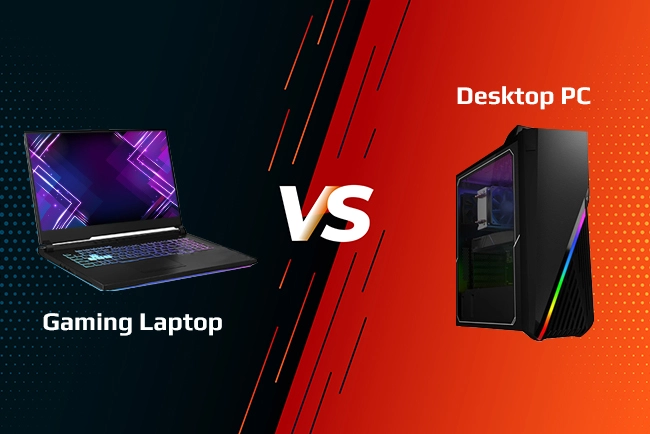
Gaming PC vs. Gaming Laptop: Which Should You Buy?
Published On
BY Sarah Seemi
The gaming computer provides more upgrade choices, whereas the gaming laptop is more appropriate for those who require mobility. I will compare the performance, cost, cooling, upgrades, and usability of both, which will assist gamers from Australia to select an appropriate system within their budget.
Top Summary
The gaming PC vs. laptop comparison is for Australians who are students, casual and competitive gamers.
The decision on gaming PC vs. laptop depends on your needs in terms of gaming environment, budget, and the need for portability.
For me, I would normally go for a desktop for a fixed gaming system, but for students and gamers that travel a lot, the laptop would be a better option.
I will discuss performance, price of the overall system, cooling, and upgradability among others.
Gaming PC vs. Gaming Laptop: What's the Difference?
A desktop gaming computer will be preferable in case of an installed system, but a laptop will suit your needs in case of mobility. That’s the simplest way I’d separate them, although the right choice depends on your budget and the games you play.
A gaming PC will typically have a tower that houses its main components, which include the processor, video card, RAM and hard drive/SSD. In addition to these, you may also require a screen, keyboard and mouse. The advantage is that you get to pick each component and upgrade in the future.
A gaming laptop has all these components in one portable device. You get a built-in screen, keyboard, trackpad and battery, so there’s less to arrange before you can start playing.
Author's Tip:
I would not purchase a desktop based on the idea that desktops are normally seen as being more powerful. An improperly built desktop can be very disappointing, just like an effectively designed laptop can be a great gaming machine.
Performance Comparison Between Gaming PC and Laptop
Although a gaming desktop computer usually offers much greater potential performance, the particular GPU, CPU, and other limiting factors play a larger role than the computer form factor itself.
Feature
Gaming PC (Desktop)
Gaming Laptop
Gaming Performance
Offers better performance at reasonable costs.
Performance varies by GPU power limits, cooling, and laptop design.
Cooling
Provides space for cooling components in most setups.
Compact cooling systems may lead to higher temperatures or louder fans.
Portability
Harder to relocate to different places.
Easy to carry for travel, study, or work.
Upgradability
Provides greater opportunity for upgrading RAM, storage, and graphics cards.
Usually limited to upgrades such as RAM and storage, depending on the model.
Display
Requires a separate monitor, with more choice in screen size and refresh rate.
Includes a built-in display and can connect to an external monitor.
Battery Life
Needs a power source to function.
Has an internal battery; however, it drains fast during gaming.
Initial Cost
Requires separate purchases of a monitor, keyboard, and mouse.
Includes a screen and keyboard, reducing the need for separate essential purchases.
Space Requirements
Requires space for the monitor and other peripheral devices.
Takes up less space and suits smaller rooms or shared accommodation.
Maintenance and Repairs
Easier access to internal components.
Repairs and major hardware changes can be more difficult.
Best For
Gamers who prioritise performance, customisation, and future upgrades.
Gamers who value portability, convenience, and an all-in-one setup.
A desktop becomes a better investment if you already have the peripherals and want to update the computer parts. A laptop might be a better buy if portability means you don’t require another computer.
I also always verify the total cost. Although the desktop might be less costly, things like a monitor, keyboard, mouse, headset, and wireless adapter can increase the cost. The laptop has a lot of features that are built-in, but at the same time, you will still require things like a gaming mouse, extra keyboard, and hard drive.
Exclusive Dual Offer for Prestige N16 Flip AI+ Owners
AUD 5,999
Find out Lenovo coupons and buy gaming PC and laptops without exceeding your budget.
Portability & Setup
The gaming laptop would be a better option regarding portability, whereas a desktop computer would make sense if you intend to use it at a permanent place for gaming.
If you are a student who lives in a dormitory, then the gaming laptop can be more convenient for you as it will be easier to carry to the university and you will be able to place it on a small desk.
While a desktop may provide better room for upgrades, it is recommended that you verify whether the component is upgradable or not prior to making any assumptions.
In case of desktop computers, you could upgrade the video card, memory, or hard drive and sometimes even the CPU; yet, some factors such as the motherboard, power supply, case form factor, and cooling solution may impose restrictions on this process.
As regards gaming laptops, some of them support RAM and/or solid-state drive upgrades, while others do not. CPU and GPU upgrades usually aren't practical on mainstream gaming laptops.
Which Is Better for Gamers with Different Preferences?
The desktop is better for gamers who focus on performance and upgrading. The laptop is better for gamers who would like to play games in different places.
Australian students: If you require one computer to do your assignments and play games, then I suggest going for the laptop. If you've already got a study laptop and a permanent desk, a desktop may make more sense.
Casual gamers: Get hardware that suits the games you play. If your preferred games work fine on something less than top-of-the-line, you most likely do not need an expensive machine.
Competitive gamers: Check GPU performance, CPU strength, refresh rate, and input lag. The desktop can offer a greater variety of screens and peripherals, but a proper laptop will also compete.
PC buyers with budget in mind: Calculate total costs and get hardware from last generation if it suits your needs. Don’t spend money on useless stuff.
Travellers: Look at weight, screen quality, charger size, ports, and cooling along with the GPU.
When choosing the best laptop computers for gaming, avoid selecting by brand. Instead, look at the specific specifications and independent reviews. And if you want to know what is the best gaming laptop for you, begin by looking at the price range, games you like to play, and how portable you want your machine to be.
Find out what is meant by a DRM-free game and what advantages it offers you, as well as what you should know about buying a DRM-free game.
Gaming PC vs. Laptop - Which One to Choose?
If you are going to have a fixed setup and want freedom of upgrade, choose the gaming PC. If you value mobility and integrated components, then you’d better choose the gaming laptop.
Personally, I would prefer a desktop computer if I were to game at home and be able to customise and upgrade my equipment. In case I had to transport one computer from place to place, I would opt for a laptop.
Thus, which is better laptop or desktop? It all depends on what you want and need.
First, compare the performance of the CPU and graphics card, the cost, warranty, memory, and screen. You should also consider the current prices in Australia since deals may change rapidly.
Sarah Seemi is a shopping editor with more than seven years of experience in e-commerce and affiliate marketing. She holds a Bachelor’s degree in Arts and a Master’s degree in English Linguistics from a reputable university. She has held the role of a content writer at leading digital magazines, including Evolution Magazine, and has worked as a full-time e-commerce blog writer for Tech Bloggers and Fashion.Blog.
Her work spans in-depth brand reviews, shopping guides, brand comparisons, and affiliate content. She specialises in creating thoroughly researched shopping content that helps readers make informed purchasing decisions and shop smarter.
Frequently Asked Questions
For overall performance, cooling, and upgrading options, a desktop computer would be much better. Plus, the specifics of hardware, software used, budget, and mobility needs also play an important part in the gaming experience.
The main difference between a gaming laptop and a gaming PC is the graphics chips. They both possess different power limits and cooling mechanisms.
Yes, but only if the performance is satisfactory to you. You can certainly connect many gaming laptops to a monitor, keyboard, and mouse, just like you would with a desktop computer.
Yes, they can be, especially if you want a portability option. Consider comparing the laptop’s graphics card, cooling, display, upgradability, and cost before making a final purchase.