Sarah is a shopping and savings expert who researches brands, verifies deals, and creates practical buying guides. Her goal is to help readers make informed purchasing decisions while finding genuine discounts and offers.
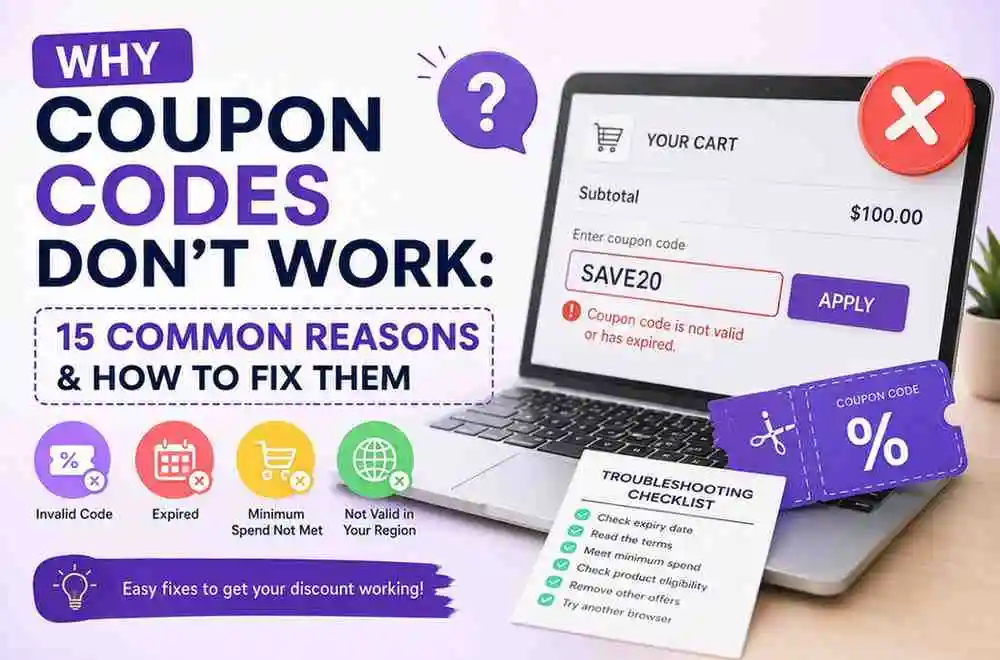
If your coupon or discount code isn't working, it's almost always a common issue: expired code, unmet minimum spend, excluded items, one-time use already redeemed, or a few others below. Check these first before assuming the code is broken.
Coupon codes do not work for a variety of reasons, such as being expired, being incorrectly entered, being valid only for specific products or customers, having minimum spend restrictions, and many more. The following guide is created for Australian consumers and people who are using coupon codes for the first time.
Quick Fixes:
Check the minimum spend requirement
Many codes only apply above a set cart total.
Check for excluded items
Sale items, gift cards, and some brands are often excluded.
Check if it's single-use
The code may already be redeemed on this account.
Check for regional restrictions
Most sites don't allow two codes or a code plus another discount at once.
Check you copied it exactly.
Extra spaces or missing characters are a common cause.
Try a different browser or clear cookies
Some cart/session issues block codes from applying.
Are you trying to figure out why the coupon code is not working? Some of the main reasons include an expired coupon, an incorrectly entered code, confinement to specific products, and many others. Although coupons can help you save money while online shopping, having a coupon code does not necessarily mean that you will be able to use it for all your orders. Even when the offer seems to be active for Australian online shoppers, they might get an error simply due to certain limitations of the coupon code.
For example, a KIC promo code may only apply to selected products or new customers, while a BCF coupon code may have minimum-spend or product-exclusion requirements. Similarly, car enthusiasts looking for car mods in Australia may find that certain promotional offers only apply to selected accessories or products. Even when an offer appears to be active for Australian shoppers, you may still receive an error because of specific limitations attached to the coupon.
Code Is Invalid vs Code Expired: What Each Error Means
Seeing an error after entering a coupon does not always mean the code has expired. The message may indicate a different scenario, such as a minimum spend, a code that has expired, a redemption limit or an order requirement
Error message
What it usually means
What to check
This promo code is invalid
The retailer does not recognise the code, or it is no longer available.
Check the spelling, expiry date
Coupon redemption limit reached
The code has reached its maximum number of uses.
Try another current code or deals
The promo code requires a different number of paid orders
The promotion is restricted to a specific customer or order status
Check whether it applies to your first, second or another qualifying order
Code cannot be combined with other offers
Another discount or promotion is already applied.
Remove the other promotion and try the code again
Minimum order value is not met
Your basket does not reach the required spending amount
Increase the eligible order value if the offer is worthwhile.
Code is only available to new customers
Existing customers are not eligible
Check whether the discounts are specifically for first-time customers
This offer is no longer available
The retailer has withdrawn or ended the promotion
Check for a newer offer or current promotion.
This offer is no longer available
The retailer has withdrawn or ended the promotion
Check for a newer offer or current promotion
Why Is My Coupon Code Not Working? 15 Common Reasons
1. The Coupon Code Has Expired
The most obvious reason for an expired coupon code is the end of its promotional period. Most retail companies develop promotions that last a few days, weeks, or a certain event. Old codes can be found in search results, social media, affiliate links, forums, and other coupon pages, regardless of the promotion's validity.
Solution
It is always important to check the expiration date of the promotion before using it. If the promotion has already expired, it will be wise to find another coupon code.
2. You Made a Typing Error While Entering the Code
The simplest way to ruin your discount with a coupon code is to make an error while entering a code. As codes can be composed of numbers, letters, and special symbols, it will be important to check the way you entered the coupon code.
Typical errors include:
Missing a character
Adding an extra space
Using the wrong number
Confusing similar characters
Typing the code manually
Adding punctuation that isn't part of the code
How to fix it
Copy the code carefully and paste it into the correct promotional box. If the code still fails, remove it completely and enter it again.
3. The Coupon Has a Minimum Spending Requirement
Some offers are available only when your eligible order reaches a particular amount. For example, a "$20 off $100" promotion won't normally work if your qualifying products total only $80.
Minimum-spend conditions are particularly common with:
Dollar-off coupons
Free-shipping offers
Seasonal promotions
First-order discounts
Bundle promotions
How to fix it
Check the minimum purchase requirement and compare it with your eligible cart total. Don't add unnecessary items just to unlock a discount unless the additional purchase genuinely provides value.
A retailer may advertise a discount across its website while excluding certain products, brands, collections, or categories. If your coupon code does not apply, the items in your cart may not meet the promotion's product requirements.
Common exclusions include:
New arrivals
Popular brands
Gift cards
Sale products
Subscription products
Limited-edition items
How to fix it
Read the offer's terms and identify which products qualify. If possible, test the code with an eligible full-price product to determine whether product restrictions are causing the problem.
5. The Coupon Is Only for New Customers
Many retailers provide welcome discounts exclusively to first-time customers. If you have previously purchased from the store, a new-customer code may not apply to your account.
Some retailers determine eligibility using your:
Email address
Customer account
Previous orders
Billing information
Promotional subscription status
How to fix it
Read the offer conditions carefully to determine whether it requires a first purchase or a new customer account. Avoid creating duplicate accounts simply to bypass a retailer's terms.
There might be some promotions that could be used only once by one person. The personal promotional codes may be tied to one particular customer. In case you have used the promotion once, it may result in an error or indicate that the coupon code failed.
Solution
Check your account and previous orders to determine whether the offer has already been redeemed. If it has, look for another current promotion that you are eligible to use.
7. The Coupon Cannot Be Combined With Another Offer
Retailers don't always allow customers to stack coupon codes. A discount code not working may simply mean that another promotion is already active on your order.
For example, you may not be able to combine:
Two promo codes
A sale discount and a coupon
A loyalty reward and promotional code
An automatic discount and manually entered code
How to fix it
Remove competing promotions and test the coupon individually. Compare the available offers to determine which combination provides the greatest legitimate saving.
A promotion that works in one market may not be available in another. This is especially important for Australian consumers shopping with international retailers.
A coupon might be restricted to:
Australia
The United States
The United Kingdom
Specific regions
Particular shipping destinations
How to fix it
Check the geographical terms before applying the code. Make sure your delivery country and the retailer's regional website match the conditions of the promotion.
9. The Promotion Has Reached Its Usage Limit
Some retailers limit how many times a promotional campaign can be redeemed. A code may therefore be valid for a limited number of customers rather than remaining available indefinitely. This can result in a coupon code rejected message even when the promotion was previously active.
A promotion could have:
A total redemption limit
A daily usage limit
A customer-specific limit
A limited campaign allocation
How to fix it
If the code has reached its redemption limit, look for another active offer. Recently updated coupon listings can also help you identify alternative promotions.
10. The Coupon Is for a Different Website or Region
Retailers may operate separate websites for different countries. A promotion created for a .com website may not automatically work on a .com.au or .co.uk storefront.
For example, a code could be valid on:
example.com
example.com.au
example.co.uk
How to fix it
Check the website and region specified in the coupon terms. Australian shoppers should confirm that the offer is intended for the Australian storefront before trying the code.
11. The Coupon Only Works With Certain Payment Methods
Some promotions require shoppers to use a particular payment method. For example, a shoeretailer may offer a discount when customers pay through a specific provider or a buy-now-pay-later service.
The conditions may require:
PayPal
Afterpay
A particular credit card
A specific payment provider
Another eligible payment method
How to fix it
Read the payment conditions before checkout. If the promotion requires a particular payment method, select that option and then test the code again.
12. The Coupon Is Automatically Applied
Not every promotion requires a manually entered code. Some discounts are automatically added when qualifying products are placed in your cart. In these cases, shoppers may mistakenly think the coupon code does not apply because there is no visible field to enter it.
Examples include:
Automatic checkout discounts
Welcome promotions
Bundle discounts
Sale prices
Member offers
How to fix it
Check your cart and order summary before assuming the promotion has failed. If the discount is already reflected in the total, the code is already applied, and there is no discount code error at checkout.
13. The Coupon Doesn't Apply to Sale or Clearance Items
Discounts are generally not given on sales and clearance products. In order to avoid combining discounts on already discounted products, retailers do not allow the use of coupons on sales/clearance products.
For instance, a discount code of 20% may work for full-priced garments but cannot be used on items already discounted by 40%.
Solution
Check whether the coupon excludes sale products. You can also temporarily remove discounted items from your cart and test the code against an eligible full-price product.
14. The Coupon Is From an Unreliable or Outdated Source
Not every coupon found online is current or accurate. Some codes may have expired, been copied from another website, or have incomplete descriptions. Reliable coupon information should make it clear whether an offer is:
Current
Expired
Verified
Unverified
A deal that does not require a code
How to resolve this?
Go for legitimate coupon portals, look into the terms of the retailer, and make sure you are aware of all key points prior to purchase.
The problem here is sometimes not the coupon itself. The promo code not working issue can be related to a number of temporary technical problems. A coupon code error can also occur because of temporary website maintenance or an outdated browser.
How to fix it
Refresh the checkout page.
Remove and re-enter the coupon.
Open the retailer's website in another browser.
Clear your cache and cookies.
Try switching between mobile and desktop.
Wait and try again if the website is experiencing temporary problems.
Contact customer support if the problem persists.
Still not working? What do I do now?
Contact the retailer’s support directly with a screenshot of the error.
Make sure you’re on the official checkout page, not a third-party reseller.
If your coupon code keeps saying invalid, check whether the promotion has expired or whether another offer is already active on your order.
Final Remarks
Whenever you encounter a problem while using a coupon, do not just assume that it is a fake offer at once. You should first verify the expiration date, terms and conditions, minimum purchase, product qualifications, customer limitations, and regional requirements before reentering the code. Most of the problems faced when using a coupon are often due to something easy to explain. The important thing here is to know what exactly causes the problem. AnniePromo coupon guides can prove to be helpful for the Aussies who love to resolve coupon-related problems.
In order to apply a coupon code, you need to choose an item that qualifies for a promotion, put it into the shopping cart, and then paste your coupon code into the discount box section and click apply.
You cannot redeem the discount on your voucher because it has expired, has been entered incorrectly, has minimum spending requirements, is for items not covered, is only for new customers, cannot be combined with other offers, or is unavailable in your area.
This would depend on the retail store. There are some retail stores that would accept more than one code, while there are some retail stores that would only allow one code per order. It is important to read the terms and conditions of the coupons before applying them.
No, most of the coupons cannot be used on sales or clearance items. Sale items are usually excluded from any coupon promotions, so it is likely that the coupon will not be valid at the point of sale.
You may find that your first-discount code does not work because you have already bought from this retailer, the code has expired, you have not met the minimum spend threshold, or the items you wish to purchase have been excluded from the offer.