Haleema is a content editor specializing in online shopping, consumer research, and deal verification. She focuses on delivering accurate, up-to-date information that helps shoppers save money with confidence.
Start small. Before investing in a complete setup, you can test whether you'll truly use the technology with a smart plug and a few smart bulbs, which together cost less than $50. Since a robot vacuum is the only smart gadget with a definite daily benefit, most people then switch to one. If saving on power bills is your main driver, skip straight to smart lighting and an energy monitor instead — that's where the real savings sit.
What is a smart home, exactly?
A smart home is simply a house where everyday devices – lights, plugs, locks, cameras, vacuums connect to Wi-Fi and can be scheduled, monitored, or controlled remotely through an app or voice assistant instead of only working with a manual switch or button.
Here are the best smart home devices in Australia to start with, in order of what actually gets used:
Smart plugs and bulbs — cheapest entry point, easiest to test
A robot vacuum — the most popular smart home purchase for a reason
Smart lighting — biggest impact on power bills for the price
A security camera or two — for peace of mind without a full alarm system
A smart hub — only once you've got two or three devices that need to talk to each other
The Australian Smart Home Market Studies say that 7.6 million Australian households now have least one smart home product. People are buying these products because they want to save energy and money and feel safer. Building a home does not have to mean changing your whole house all at once. You can start with one thing. See how it makes your life easier. Most people start with one home product see how much easier it makes things and then add more smart home products.
Whatever you end up buying, it's worth pairing the order with a current discount code — our guide on how to find a coupon code that actually works covers the common mistakes people make chasing expired or invalid codes.
Renting vs. Owning: Why It Changes What You Should Buy
This shapes half the buying decisions below, so it's worth sorting out first. Renters and homeowners generally need different setups.
If you're renting
If you own your home
Plug-in smart plugs
Smart locks
Screw-in smart bulbs
Hardwired lighting systems
Battery-powered cameras
Built-in security systems
Portable power stations
Anything needing drilling or rewiring
Nothing on the renter side needs landlord approval or leaves marks behind. Anything on the owner's side generally needs a tradesperson, or at least a reversible install. Not sure which list you fall into? Check before you buy anything that involves drilling, rewiring, or a tradesperson.
What's New in Smart Home Tech for 2026
Australia's New Smart Device Security Standards
Buying a smart device in Australia in 2026? Here's the one thing worth knowing: mandatory cybersecurity standards for smart devices kicked in on March 4, 2026, under the Cyber Security (Security Standards for Smart Devices) Rules 2025. It's Australia's first legally enforceable baseline security rule for smart devices — before this, manufacturers only had to follow a voluntary code, which a lot of them ignored.
What manufacturers now have to do:
Remove default passwords before selling a device
Give people a clear way to report security vulnerabilities
Say upfront how long a device will keep getting security updates
What this means for you:
if you're comparing two similar smart cameras or plugs, whether a product meets these standards is now a real thing worth checking, not just a technicality. One catch — devices made before March 2026 are exempt. So if you spot older stock at a steep discount, check when it was actually made before assuming it meets the same bar.
Why Energy Savings Are Driving Smart Home Adoption
The second big shift this year isn't regulatory; it's financial. Rising power bills have pushed a lot of Australians towards smart home devices for a very specific reason: cutting energy costs, not just convenience. Smart lighting that switches off automatically, energy monitors that show exactly where power is being wasted, and portable power stations that reduce reliance on grid electricity during peak pricing periods have all seen a real bump in interest.
This is genuinely the more practical entry point for a lot of households compared to the flashier smart home gadgets. A smart speaker is fun. A smart plug that automatically kills power to a standby appliance is the kind of thing that actually shows up on your next bill.
Smart Home Devices for Beginners: Start Here
If you're new to smart home automation in Australia, the temptation is to go big straight away — full lighting system, security cameras on every door, a hub tying it all together. Don't. Start with something cheap enough that if you decide it's not for you, you haven't burned much money finding out.
Smart Plugs and Smart Bulbs
This is genuinely the best starting point for anyone unsure whether smart home tech is worth the hassle. A smart plug lets you schedule or remote-control any appliance plugged into it — a lamp, a fan, a heater without needing to rewire anything. A smart bulb does the same for lighting specifically, and both typically cost under $30 each.
What to look for:
Compatibility with the ecosystem you already use (more on this in the hub section below)
Energy monitoring built into the plug itself, if cutting power costs is a priority
A companion app that doesn't require a subscription for basic scheduling
Smart Lighting Systems
Once you've tested the waters with a bulb or two, a full smart lighting system for a room or the whole house is usually the next logical step, and it's one of the better-value upgrades in this whole category. Beyond convenience, smart lighting genuinely helps with the energy savings angle covered above — automated schedules and motion-based switching cut down on lights left running in empty rooms, which adds up over a year.
If you're ready to commit to a proper lighting setup, Mica Lighting's smart lighting deals are worth checking before you buy — a current discount code makes the jump from a single smart bulb to a whole-room setup a lot more affordable.
Robot Vacuums: The Most Popular Smart Home Purchase
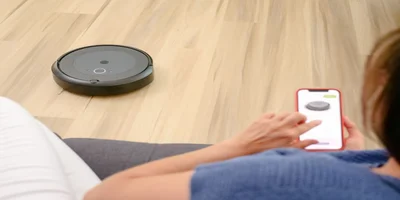
If there's one smart home device Australians actually stick with, it's the robot vacuum. Unlike a smart speaker you might forget exists after the first week, a robot vacuum solves a chore you'd otherwise be doing manually every few days, which is exactly why it tends to have the best long-term satisfaction of anything in this category.
What separates a good robot vacuum from a mediocre one:
Mapping
proper room-by-room mapping means it actually cleans efficiently instead of bumping around randomly.
Suction power
matters more if you've got carpet rather than all hard floors.
Self-emptying base
a genuine quality-of-life upgrade if you don't want to empty a dustbin every few days.
App scheduling
The ability to set cleaning times around your actual routine, not just run it manually.
Roborock's robot vacuum discount codes are worth checking here, since robot vacuums sit at a higher price point than most other smart home entry devices, and a current code can bring a mid-range model down closer to entry-level pricing.
Smart Home Security: Cameras, Locks & Sensors
A smart home security system doesn't have to mean a full professional install. For most households, one or two well-placed cameras and a smart lock cover the practical needs — knowing who's at the door, getting an alert if something moves in the driveway at 2 am, and not needing a physical key that can be lost or copied.
A few things worth checking before buying security devices specifically, given the new standards covered earlier:
Confirm the camera or sensor doesn't ship with a default password you're expected to leave unchanged.
Check how long the manufacturer commits to security updates — this is now something manufacturers are required to disclose.
Look for local storage options if you're not keen on footage sitting on a third-party cloud server.
Energy Management: Smart Power & Solar Devices
This is where the energy-savings angle covered earlier really comes into its own. Smart power management covers everything from energy monitors that show which appliances are actually costing you money, through to portable power stations and solar setups that reduce how much you're pulling from the grid during expensive peak periods.
For household energy management, EcoFlow's home energy deals are worth a look if you're after a portable power station that can back up essential appliances or reduce peak-time grid reliance. If you're comparing options, Bluetti's power station discount codes cover a similar category and are worth checking side by side before deciding — pricing and current promotions shift between the two depending on the season.
Choosing a Smart Home Hub (And Avoiding Compatibility Headaches)
A smart home hub is the thing that lets your lights, plugs, cameras, and vacuum all talk to each other and respond to one voice command or automation, instead of needing five separate apps. You don't need one on day one, but once you've got three or four devices, it starts to simplify things genuinely. Here's how the main smart home hub options compare:
Hub Type
Best For
Watch Out For
Voice assistant hub (e.g. Google/Alexa-based)
Voice control, broad device compatibility
Privacy considerations around always-listening devices
Dedicated hub (e.g. SmartThings-style)
Tying together mismatched brands into one app
Setup can be fiddlier than a voice-assistant hub
Matter-enabled hub
Long-term compatibility across brands
Still a newer standard — check individual device support before buying
If you're buying new devices in 2026, look specifically for Matter compatibility. It's an emerging cross-brand standard designed to stop you being locked into one ecosystem, and it lines up well with the new security requirements covered earlier, since Matter's architecture already supports several of the same secure-by-design principles.
Budget vs. Premium: What's Actually Worth Paying More For
Category
Budget Pick
Premium Pick
Worth the Upgrade?
Robot vacuum
Basic mapping, manual emptying
Advanced mapping, self-emptying base
Yes, if you'd otherwise skip vacuuming regularly
Smart lighting
Single-room starter kit
Whole-home system with scenes
Only once you've confirmed you'll actually use it daily
Security camera
Cloud-only storage, basic motion detection
Local storage, person/vehicle detection
Worth it if privacy or false alerts are a concern
Power station
Small capacity, basic app
High capacity, solar-compatible
Yes, if you're aiming for genuine energy bill reduction
Pros and Cons of Popular Smart Home Stores
If you're deciding which store to actually buy from, here's a quick rundown of where each one is strongest and where it isn't:
Slightly less polished app experience than some competitors
If you're weighing up EcoFlow against Bluetti specifically, our Top 10 Solar Generators guide compares both head to head alongside Jackery, which is worth a read before committing to either one.
Common Smart Home Buying Mistakes
Buying a hub before you have devices worth connecting.
A hub with nothing to manage is just an expensive paperweight — start with the devices first.
Ignoring compatibility between ecosystems.
Not every smart bulb works with every hub. Check compatibility before buying, not after unboxing.
Devices manufactured before March 2026 are exempt from the new rules, so check manufacture dates on heavily discounted older stock.
Overbuying security cameras before understanding your actual need.
Two well-placed cameras usually cover more ground than five poorly placed ones.
Skipping the app review before buying.
A device is only as good as its companion app — check reviews specifically mention the app experience, not just the hardware.
Ready to start building? Browse all current Home & Garden deals at AnniePromo to compare smart home discount codes across brands before you buy.
Key Takeaway
Start with a smart plug or bulb, move on to a robot vacuum once you know the tech is for you, and prioritise lighting or an energy monitor first if cutting power bills is the actual goal — check a device's manufacture date against the new March 2026 security standards before buying discounted older stock.
A smart plug or a couple of smart bulbs. They're cheap, easy to set up, and let you figure out whether smart home tech actually fits how you live before spending more.
Yes, particularly smart lighting, energy monitors, and portable power stations, which are increasingly being adopted specifically to cut power bills as energy costs rise, not just for convenience
As of March 4, 2026, mandatory cybersecurity standards require manufacturers to remove default passwords, disclose security update timelines, and provide a way to report vulnerabilities. Devices made before that date aren't covered by the new rules, so it's worth checking manufacture dates on older stock.
Not right away. A hub becomes genuinely useful once you've got three or four devices from different brands that you want working together — before that, most devices run fine on their own app.
A robot vacuum operates autonomously, mapping and cleaning a space on a schedule without you doing anything. A "smart" regular vacuum might just have app-connected features like a battery indicator but still requires you to push it around manually.
A basic starter setup — a couple of smart plugs and bulbs — costs under $100. A more complete setup with a robot vacuum, smart lighting throughout a room, and a security camera or two typically lands between $500 and $1,000, depending on which brands and discount codes you apply.